

Smart Home Lighting: The Ultimate Beginner’s Guide puts you in total control of your home’s atmosphere, efficiency, and convenience—from your phone or voice command. If you want brighter rooms, lower bills, and smarter living, this guide explains exactly how to get started and what mistakes to avoid.
Key Takeaways
- The global smart home lighting market is booming, but beginners run into costly pitfalls without clear guidance.
- Choosing the right protocol (like Zigbee or Matter) and understanding compatibility are crucial for hassle-free installations.
- Simple steps and expert strategies help you save energy, avoid expensive mistakes, and build a system that actually works.
- What Is Smart Home Lighting and Why Switch?
- Step-By-Step Setup Guide for Beginners
- Advanced Analysis & Common Pitfalls
- Conclusion
- Frequently Asked Questions
What Is Smart Home Lighting and Why Switch?
Smart home lighting uses connected bulbs, switches, sensors, and controllers to let you change colors, brightness, and schedules directly from your smartphone, tablet, or voice assistant. Unlike basic LED bulbs, smart lighting integrates into your Wi-Fi or smart home network, automates lighting routines, and can respond to triggers like motion or sunset. The market has surged—global smart lighting is now a $22.45 billion industry in 2024, set to multiply sevenfold by 2034 [source].
Why are beginners making the switch? Smarter lighting offers convenience (remote control or automation), personalization (scenes and color), proven energy savings, and added security if you’re not home. Younger, tech-savvy households are driving adoption, but high startup costs and compatibility headaches are real barriers for first-timers.

Step-By-Step Setup Guide for Beginners
If you’re new to smart home lighting, start here. Follow these concrete steps to minimize headaches and maximize results.
-
Set Your Goals and Budget
Decide if you want smart bulbs, switches, or a mix. Figure out if you need color, dimming, or just basic on/off. Keep in mind, brands like Philips Hue and LIFX cost more up front, but generic bulbs can be incompatible with voice assistants. -
Assess Compatibility
Check if your light fixtures support smart bulbs (most standard sockets do). If you have unusual lamps, see our Contemporary Floor Lamps guide.
Review your Wi-Fi reliability and whether you want to use voice (Alexa, Google Home, Apple HomeKit). Not all bulbs support every protocol. -
Choose Your Smart Lighting Protocol
- Wi-Fi: No hub needed, but can bog down Wi-Fi networks with many lights. Easy for basic setups.
- Zigbee: Needs a hub but is more robust and efficient for larger homes. Most Philips Hue lights use Zigbee.
- Z-Wave: Wide coverage, great in combination with other automation devices, requires compatible hub.
- Matter: New universal standard, best if you want the most future-proof system. Not all brands offer Matter as of 2024—check before buying.
-
Pick Devices and Start Small
Buy one or two smart bulbs, a starter kit, or smart switches for high-use areas. Entry kits by Philips Hue or LIFX can cost $50-$200. Single Wi-Fi bulbs start as low as $12 but typically lack advanced features. -
Follow the App Instructions and Install
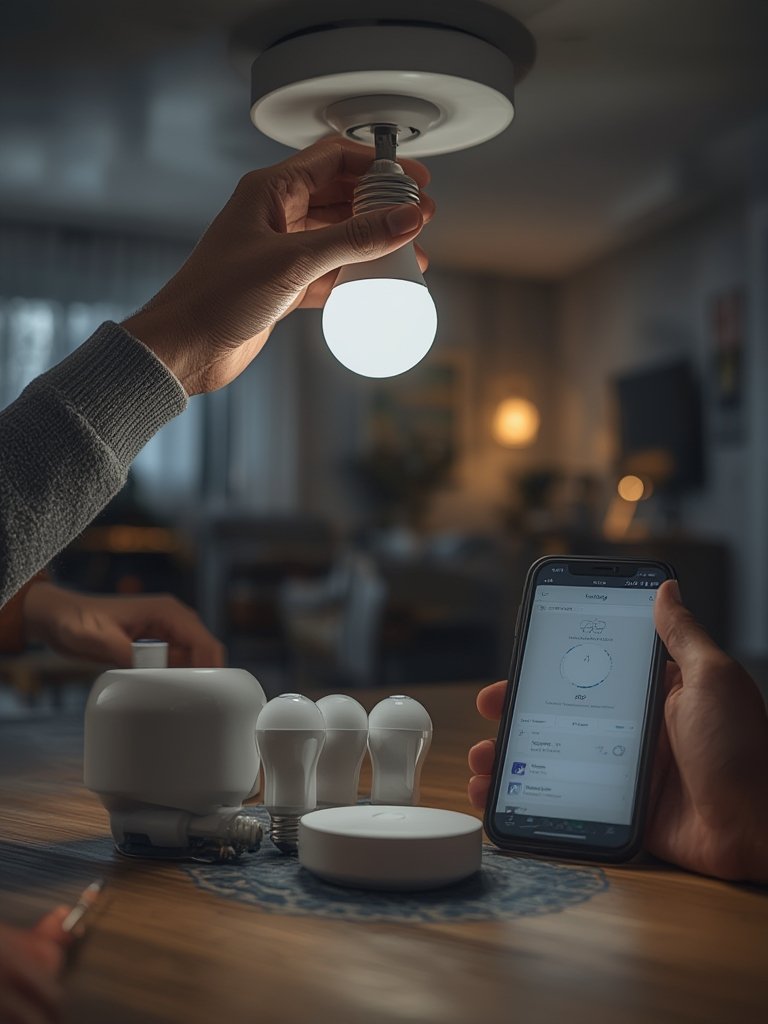
Remove existing bulbs, install the new smart bulbs, turn on the power, and follow your brand’s app step by step. For physical switches, always turn off power at the breaker. -
Create Scenes & Automation
Use your app to set up schedules, scenes (“Movie Night,” “Wake Up”), or motion-activated routines. See our advice on Energy Efficient Light Bulbs to further optimize for cost. -
Integrate with Voice Control and Ecosystems
Pair with Alexa, Google, or Apple Home for voice commands. Double check device and platform compatibility for seamless control. -
Monitor and Optimize
Track usage in your app, update firmware, and set energy-saving automation. Annual savings can reach $225 for a fully converted household [source].
Remember: Entry-level kits keep it simple. If you’re ready to explore outdoor options, check our Govee Outdoor LED Lights guide for ambiance ideas.
For bedroom-specific advice, our Sleep Friendly Light Bulbs guide can help you fine-tune lighting for relaxation and better rest.
Don’t forget to update your bulbs’ and app’s firmware regularly—manufacturers patch security issues and add features that improve stability and energy tracking.
Advanced Analysis & Common Pitfalls
Even the best starter kits present real challenges. Here’s what beginners often confront—and how to avoid or solve those headaches.
- High Initial Costs: Smart bulbs and switches are much pricier upfront than regular LED bulbs. Budget-minded buyers can look at starter bundles or phased upgrades. For a full-room setup using premium brands, expect $90–$250. Beware of upsell tactics or subscription-based “premium” app features.
- Compatibility Issues: Wi-Fi bulbs are easiest to try but often lack advanced group control. Zigbee and Z-Wave need hubs (like a Philips Hue Bridge), and not all bulbs or switches work across brands or protocols. “Matter” is fixable, but not all devices have it in 2024.
- Installation Frustrations: Replacing switches requires very basic wiring skills—make sure you cut power to avoid shocks. Moisture-prone areas (kitchens, bathrooms) can cause problems for standard smart bulbs. New builds or big renovations can justify wired smart systems, but these are not beginner-friendly.
- Ongoing Maintenance: Firmware updates are essential. Ignore them and you risk outages or security gaps. Some brands require periodic cloud logins to work fully—if the company’s servers go down, your automation can break.
- Hidden Fees: Watch for brands that lock advanced routines or integrations behind paid app tiers. Read the fine print before buying to avoid surprises.
| Protocol/Brand | Requires Hub? | Voice Assistant Support | Pros | Cons |
|---|---|---|---|---|
| Wi-Fi (e.g. TP-Link, LIFX) | No | Yes (Alexa, Google, Apple mostly) | Plug-and-play, no hub needed, great for small setups | Wi-Fi congestion, less optimal for big homes |
| Zigbee (Philips Hue) | Yes | Yes (Alexa, Google, Apple) | Stable, scalable, group control, widely supported | Higher upfront cost, single brand ecosystem recommended |
| Z-Wave | Yes | Some—requires compatible hub | Good range, interoperable with many smart gadgets | Setup complexity, may need third-party integration |
| Matter | Depends (some need hubs, some don’t) | Yes (most major ecosystems) | New universal standard, great for future-proofing | Adoption still limited; not all products fully support it yet |
For maximizing energy savings, follow expert-backed tips: automate off times, install dimmers, integrate motion sensors, and use remote scheduling for rooms that are often empty. Smart lighting already cuts up to 15% of an average home’s electric bill, with LEDs alone saving $225 a year [source]. For the next step towards saving even more, jump to our Energy Saving Light Bulbs resource.
Outdoor setups have different requirements; refer to Solar Patio Lights for weatherproof solutions and real-world installation lessons.
Conclusion
Getting started with smart home lighting doesn’t have to be confusing or filled with costly surprises. With the right approach—testing your ecosystem, starting small, and staying alert to compatibility and update requirements—you can enjoy flexibility, efficiency, and modern convenience. Remember: demand for these products is only rising, especially as tech-savvy homebuyers shape the market’s future. Follow this guide to confidently set up, enjoy, and expand your smart home lighting—no tech headaches required.
Ready to light up your home the smart way? Start by assessing your needs and exploring beginner-friendly kits, or check out our detailed tips for optimizing with Lutron Caseta Smart Switch today!
Frequently Asked Questions
How much does a basic smart home lighting setup cost?
Beginner starter kits range from $50–$200, depending on the brand and number of bulbs. Wi-Fi bulbs start at $10–$15 each, while premium multi-bulb kits with bridges or hubs can exceed $150. Don’t forget potential hidden costs for app features or extra accessories.
Will smart bulbs work in any lamp or fixture?
Most smart bulbs fit standard sockets, but always double check the size and voltage. For unique fixtures, like floor lamps, see our Floor Lamps guide for best fit.
What are the main risks or disadvantages of smart lighting?
Main pain points are high startup cost, ongoing maintenance, firmware vulnerabilities, and potential incompatibility with your smart home ecosystem. Wi-Fi-only bulbs can cause network congestion in homes with 10+ devices.
How do I know if my system supports Alexa, Google, or Apple HomeKit?
Verify on the box and in the tech specs. Some bulbs and switches only work with certain voice assistants; “universal” compatibility is best for future-proofing.
Can smart lighting really save money?
Yes—LED-based smart lights use far less energy than incandescent or halogen, and automation keeps lights off when not needed. Most households see $150–$225 energy bill savings per year [source].
—