

Smart dimmer switch technology is quickly reshaping the way homeowners and businesses control their lights, blending practical energy efficiency with powerful automation and convenience.
Key Takeaways
- Global demand for smart dimmer switches is surging, driven by smart home integration and growing energy-saving needs.
- Users often face installation challenges, especially with older homes lacking neutral wires and with LED compatibility.
- Understanding your electrical setup—and product compatibility—is critical for a smooth upgrade and long-term satisfaction.
- What Are Smart Dimmer Switches and Why Are They Gaining Traction?
- How to Choose and Install a Smart Dimmer Switch (A Practical Walkthrough)
- Pitfalls, Comparisons, and Real-User Obstacles: What You Need to Know
- Conclusion
- Frequently Asked Questions
What Are Smart Dimmer Switches and Why Are They Gaining Traction?
Smart dimmer switches replace traditional wall switches to provide precise, app or voice-controlled brightness control for one or more lights in a room. Unlike ordinary smart bulbs, they allow you to automate and schedule the lighting experience at the circuit level, benefiting every compatible fixture on the same switch.
Recent research estimates the global dimmer switch market size, including smart variants, hit $13.5 billion in 2024, with the US and Europe combining for over 70% of this figure (source). Demand is rising thanks to wider smart home adoption, a push for energy cost savings, and the ease of customizing lighting ambiance from your smartphone or by voice.
For example, integrating a smart dimmer lets you program your overhead LEDs or Philips Hue light strip for preset scenes, soft wake-ups, or relaxing evenings—all without swapping each bulb for a pricey smart alternative. Commercial spaces are also upgrading rapidly, seeking energy-conscious lighting controls and streamlined management.
Whether you want to upgrade a smart LED strip setup or automate large rooms, smart dimmers solve the need for unified, effortless lighting control at scale.
How to Choose and Install a Smart Dimmer Switch (A Practical Walkthrough)
Upgrading to a smart dimmer has never been easier, but choosing the right switch for your setup—and installing it safely—requires careful attention to compatibility and wiring. Here’s a structured, actionable guide.
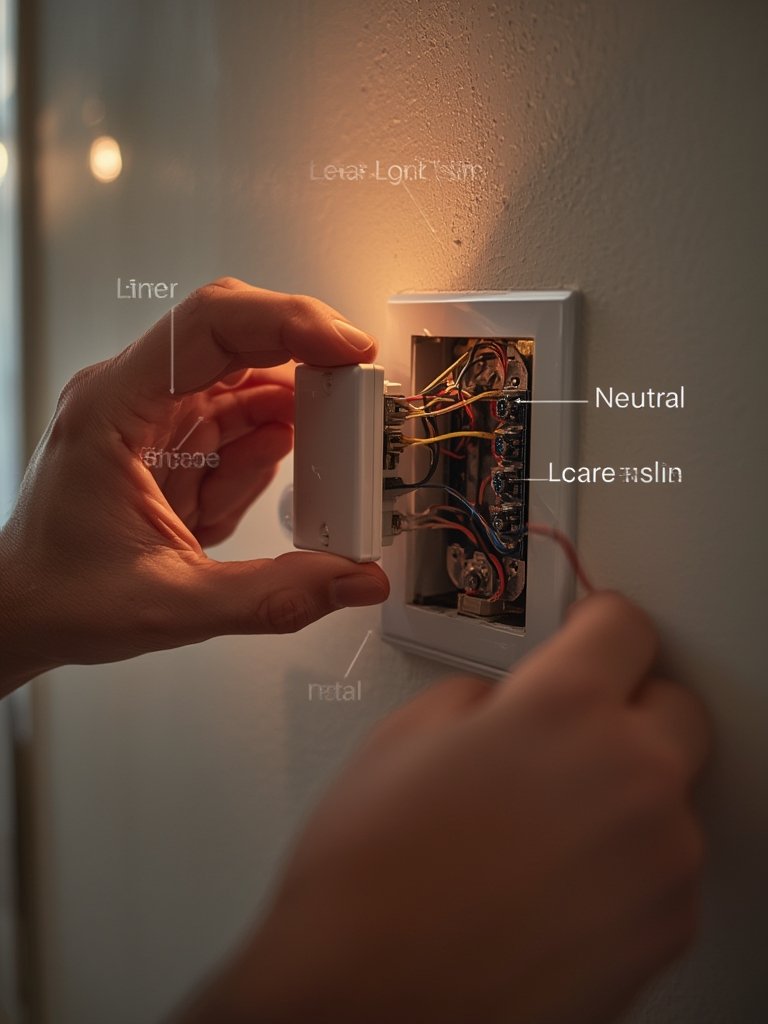
- 1. Assess Your Home’s Wiring
– Turn off circuit power and open your wall switch.
– Check for a bundle of white wires (the neutral). If you only see black (live) and red (load/traveler), you’ll need a “no-neutral” compatible smart dimmer. - 2. Pick the Right Smart Dimmer Switch
– Consider your smart home ecosystem: Wi-Fi, Zigbee, Z-Wave, or Bluetooth.
– Verify “LED compatibility” ratings and check that your bulb wattage meets the dimmer’s minimum load specifications. - 3. Confirm Bulb Compatibility
– Not all LEDs or fixtures are truly dimmable. Flickering, pop-on, or won’t-turn-off issues are common with incompatible setups. See our guide to dimmable LED bulbs. - 4. Install the Switch Properly
– Always cut power at the breaker.
– Match wires correctly (line, load, ground, and neutral if present).
– Mount securely and test before closing the wall plate. - 5. Set Up in Your Smart Home Platform
– Pair using the manufacturer’s app.
– Test dimming levels and create automations—like “Goodnight” or “Movie Time” scenes. - 6. Troubleshooting and Fine-Tuning
– If bulbs buzz, flicker, or drop connection, adjust dimmer minimum level settings or try alternative bulbs. Some advanced dimmers offer firmware updates to resolve minor bugs.
For renters or less permanent installs, consider plug-in dimmer modules or upgrading under-cabinet lighting and Wi-Fi light switch dimmers that support wireless installs and remote control without re-wiring.
Proactive planning—especially for no-neutral homes—avoids headaches and costs down the road.
Pitfalls, Comparisons, and Real-User Obstacles: What You Need to Know
While smart dimmers bring plenty of benefits, users frequently encounter obstacles that top “best of” lists often fail to mention.
Common Pitfalls:
- Lack of Neutral Wire: Many US and European homes (especially pre-1980) do not have a neutral, which most smart dimmers require. Workarounds are available, but not all are robust or safe. No-neutral dimmers are more limited in variety and often cost more.
- LED Dimming Compatibility: Even if a switch is “LED compatible,” some bulbs flicker, buzz, or don’t dim smoothly due to mismatched electronics. Always check both manufacturer compatibility lists and minimum/maximum load requirements.
Explore solutions in our flicker-free bulbs guide. - Installation Complexity: DIYers often underestimate the difficulty of safely swapping switches. Tight wall boxes, misidentified wires, and poorly labeled circuits slow progress and increase risk. Hiring a professional is wise if in doubt.
- High Initial Costs: Smart dimmers cost significantly more than basic switches, and retrofitting multiple rooms scales up investment quickly. However, they do control rooms full of standard bulbs (cheaper than buying dozens of smart lamps).
Smart Dimmer Switches vs. Smart Bulbs
| Aspect | Smart Dimmer Switch | Smart Bulb |
|---|---|---|
| Installation Complexity | Hardwired—may require neutral wire and electrical skill | Easy screw-in; no wiring changes |
| Upfront Cost | High per switch, but controls multiple bulbs | Low per bulb, but expensive for multi-bulb rooms |
| Energy Efficiency | Depends on bulb selection; some energy use in electronics | Efficient by default; no wall switch confusion |
| Real-World Satisfaction | Strong for room-wide control, but demands more planning | Simple for small upgrades; needs single bulbs to be left “on” at wall |
| Compatibility | Must match switch & bulb type | Just needs socket match |
Smart dimmers offer better control for spaces with lots of regular lamps or floodlights but are best for owners comfortable with electrical work or willing to hire help. If you want maximum color effects, like smart recessed lighting, mixing solutions can be effective.
Poorly Covered Issues in Other Guides
- No-Neutral Home Stats: There is no published data on what percentage of homes in the US or Europe lack neutral wires, making it tricky for homeowners to predict their needs (source).
- Lack of Real-World User Critiques: Most articles gloss over installation difficulties and LED flicker.
- Specific Model Advice for Old Homes: Rarely do guides directly recommend reliable smart dimmers made for no-neutral wiring—yet this is a huge pain point for buyers.
For extra help, reference our guides to COB LED strip lighting and smart recessed lighting—these often have unique compatibility notes.
For trends and deeper market analysis, explore the latest projections from Cognitive Market Research and HTF Market Insights.
Conclusion
Smart dimmer switch adoption is climbing worldwide, but picking and installing the right model is not always straightforward. Compatibility, especially with wiring and LEDs, makes pre-purchase research critical. If you want smooth, convenient, and energy-wise lighting upgrades, take the time to assess your current setup and choose a smart dimmer switch that matches your needs.
Ready to upgrade your lighting? Dive into our curated smart home lighting guides or share your trickiest dimmer switch questions with our team today.
Frequently Asked Questions
Do smart dimmer switches work with all types of LED bulbs?
No. Only dimmable LED bulbs are compatible, and even then, the dimmer and bulb electronics must be matched. Always check compatibility charts from both manufacturers.
Can I install a smart dimmer switch if my house has no neutral wire?
You can, but you’ll need a “no-neutral required” smart dimmer switch. These are designed for older homes but may still require compatible LED bulbs to function reliably.
Will using a smart dimmer save me money on electricity?
It can. Dimming lights reduces power consumption, and automation can help eliminate wasted energy. ROI varies depending on usage patterns and number of rooms upgraded.
How do smart dimmer switches differ from smart bulbs in daily use?
Smart dimmers control all regular bulbs on a single circuit—good for room-wide upgrades—while smart bulbs offer color and custom effects but need each fixture to have a smart lamp installed.
Are there wireless or plug-in smart dimmer options for renters?
Yes. Some smart plugs and remote switch kits offer dimming without altering wall wiring—great for temporary setups or apartments. See our under-cabinet lighting guide for inspiration.
[…] box has a neutral wire—needed for some smart controllers and dimmable LED modules. Not sure? This guide to smart dimmer switches will help you figure out your wiring […]