


Gaming room lighting in 2024–2025 is not just about eye candy—it’s now a top priority for streamers, competitive players, and anyone serious about immersive home setups. Today’s scene is driven by RGB strips, app-controlled smart desk lamps, and ambient lighting that syncs with your action. But picking the right solution—without headaches or wasted money—takes more than plugging in some colorful LEDs.
Key Takeaways
- The global gaming room lighting market is growing fast, dominated by smart RGB and LED products with advanced controls.
- User pain points include installation issues, app fragmentation, electrical risks, and poor color/brightness control—choosing specs and matching voltage is critical.
- Costs range from $50 for basic setups to $1,000+ for premium ecosystems; entry-level users can avoid major pitfalls with a few practical choices.
- What Is Gaming Room Lighting and Why Is It Exploding in 2024?
- How to Set Up High-Quality Gaming Room Lighting (Step-By-Step Guide)
- Advanced Analysis & Common Pitfalls
- Conclusion
- FAQ
What Is Gaming Room Lighting and Why Is It Exploding in 2024?
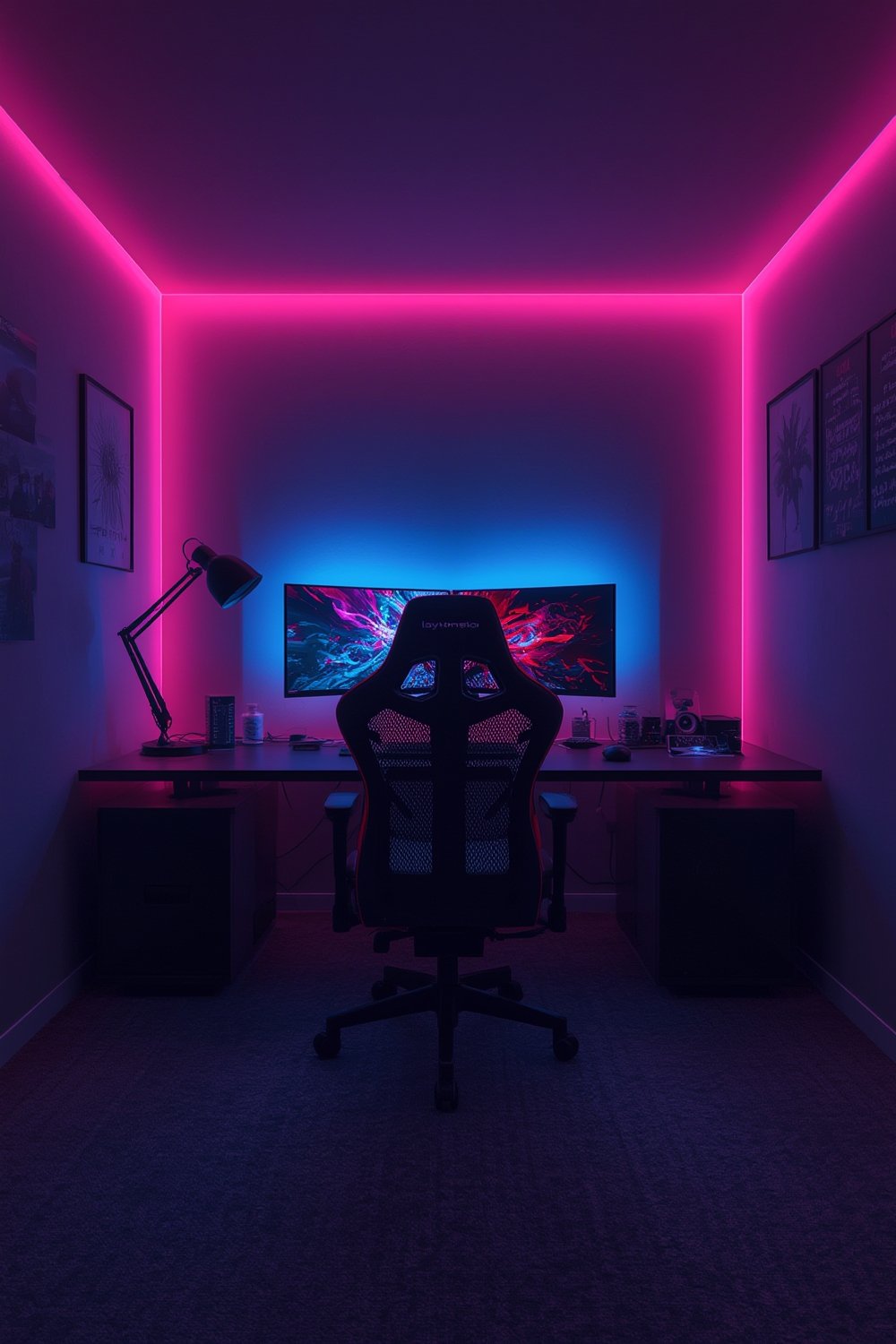
Gaming room lighting now covers much more than a few cheap LED strips. In 2024, this market is a $2.5–$4.2 billion global industry—expected to almost double by 2028 (source), with RGB and smart ambient lights leading the charge. Unlike standard plug-and-play decor, today’s systems integrate with PCs, consoles, and even voice assistants, offering immersion effects, music sync, custom color scenes, and more.
What’s changed is not just demand, but performance. Entry-level buyers get addressable colors, while full systems can sync to games, stream overlays, and daily routines. Driven by esports, content creation, and the need for both ambiance and functional lighting, setups now range from basic strips to intricate smart ecosystems—with price, safety, and compatibility concerns deeper than most beginners realize.
How to Set Up High-Quality Gaming Room Lighting (Step-By-Step Guide)
-
Map your zones and needs.
- Decide if you need ambient background lighting, monitor bias lighting, accent strips, or desk/task illumination. Identify wall types and power access—stickier strips often struggle on textured surfaces, and plugs are rarely where you want them.
-
Pick the right specs for each use.
- For behind-monitor lighting, target 200–500 lumens per strip, with tunable white (2700–6500K) and high color rendering. Pick addressable RGB strips only if you’ll actually use scenes or dynamic effects.
- Look for RGBIC or multi-zone strips if you want multiple colors or moving effects along a single strip.
-
Match voltage and ecosystem.
- Check your hardware. Most “addressable” RGB strips are 5V ARGB, while many desk lights or wall strips are 12V. Never mix these up—damaged strips are common. Use only power supplies provided for your model, and don’t daisy-chain beyond what’s rated.
-
Mount, cable, and power carefully.
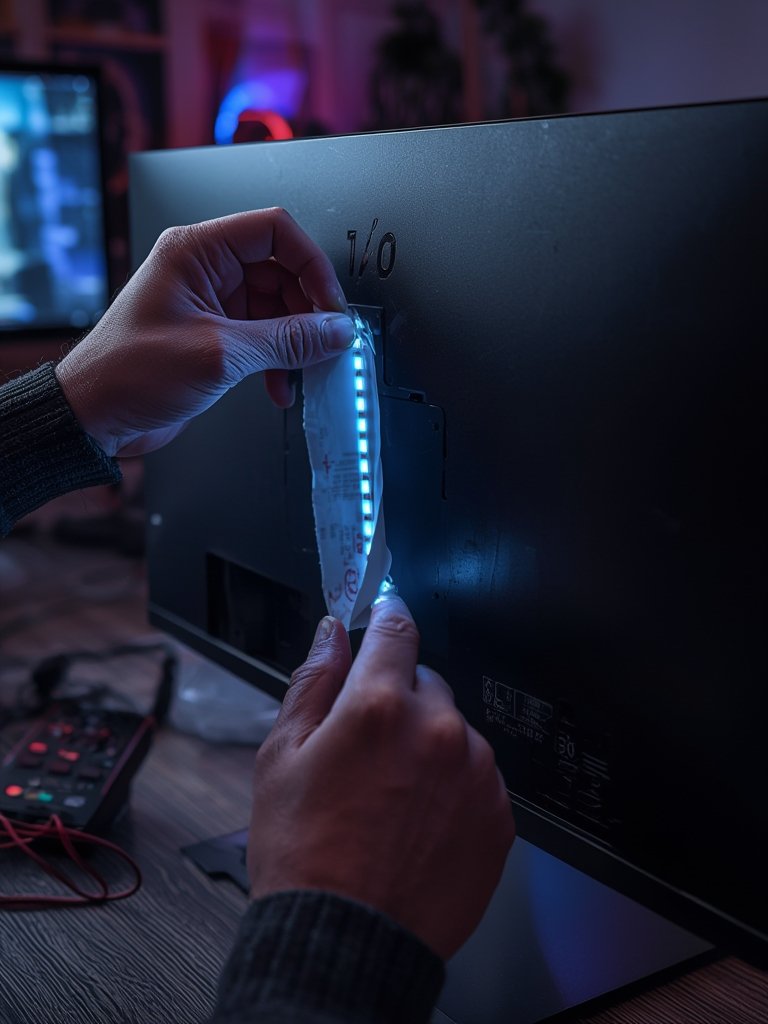
- Before peeling adhesives, clean and dry the mounting surface. Pre-plan your cable routing for a clean look—attach control units and power bricks where heat can dissipate.
- For difficult corners or behind heavy furniture, consider flexible neon-style LEDs for even light and easy shaping.
-
Install, test, and calibrate.
- Power on each zone before finalizing adhesives. Use the manufacturer’s app or physical controller to adjust brightness, white balance, and colors—never run everything at full power for hours on the first go. For streamers, check on-camera flicker and white quality closely.
-
Integrate with your ecosystem and optimize automation.
- Choose one primary app or platform (Alexa, Google, Hue, Razer Synapse, etc.). Avoid mixing too many ecosystems, which leads to conflicts and failed syncs. Set up basic routines and scenes to avoid fiddling with rainbow modes mid-game.
- For deeper PC-game sync, look for direct integration (e.g., Razer Chroma, iCUE, Aura Sync) and test after updates, since conflicts are common after OS/game patches.
- For scenic room lighting effects, try combining sunset lamps or atmosphere projectors with your main strip setup for immersive ambiance.
- If you want premium results and less DIY, review options like Philips Hue indoor light strips, which offer strong integration and superior color quality.
Advanced Analysis & Common Pitfalls
The right parts and planning save you from most gaming room lighting disasters. Here’s where most setups go wrong, and how to sidestep wasted time, money, and even safety risks.
Most Common Pitfalls
- App Fragmentation: Using three different mobile apps for your desk, strip lights, and wall panels leads to sync failures and lost scenes—choose one platform where possible.
- Electrical Mismatches: Plugging a 5V addressable RGB strip into a 12V controller or header is an instant kill for most LEDs. Always double-check before connecting.
- Overheating/Overloading: Daisy-chaining more strips than your power supply is rated for will cause dimming, controller resets, or worse, overheating adapters.
- Poor Light Quality: Cheap strips may look fine on “color cycle,” but produce ugly whites, flicker on camera, and uneven colors by zone. Investing in better CRI and color control matters for visible comfort, especially when streaming or working in the space as well.
- Bad Mounting Surfaces: If walls are dusty, textured, or greasy (kitchen, garage conversions), adhesive will fail in weeks. Always clean and consider using alternative mounting tape or brackets.
- Tedious Configuration: Advanced scenes and zones sound fun, but too many unorganized “effects” can create distraction and kill the vibe. Default to subtle, static, or slow-shifting scenes for real-world usability.
Entry Level vs Premium: Feature & Cost Comparison
| Feature | Entry-Level ($50–$120) | Mid-Range ($150–$350) | Premium ($400–$1,000+) |
|---|---|---|---|
| RGB Modes | Basic; limited color accuracy; no app control | App-controlled; addressable effects | Multi-zone, modular, advanced sync |
| Brightness/Luminance | Often underpowered (<1,000 lumens) | Good range, dimmable, bias lighting possible | High output, precision white balance, streaming-friendly |
| Integration | Standalone, IR remotes only | Some Alexa/Google support, basic PC sync | Full voice/PC smart integration (Hue, Razer, Nanoleaf) |
| CRI/Color Quality | Poor—color cast, flicker, bad whites | Generally CRI ≥80, better for skin tones/eyes | CRI 90+, flicker-free, best for streamers |
| Longevity/Reliability | Adhesive and LEDs degrade quickly | Stronger adhesives, app/control firmware updates | Long warranty, modular expandability |
| Energy Usage (fully lit, 5-10m strips) | ~50–100 W | ~75–125 W | 100–150 W; better efficiency per lumen |
Expert Insights Frequently Missed By Competitors
- Energy Use Quantified: Most articles say “LEDs are efficient” but never break down kWh. A full setup might add 10–18 kWh/month—$2–$5/month at average US rates.
- Human Health Specs: Not all RGB is safe or comfortable. Look for CRI 80+ for daylight or desk, and avoid blue-heavy setups before bed, especially if you’re sensitive to circadian disruption. Check our circadian rhythm lighting guide for practical light health tips.
- Electrical & Power Budgeting: Never exceed the listed amperage/wattage for each power supply, and always use certified adapters. For practical tips on matching and safely extending strips, refer to our COB strip installation guide.
Conclusion
Gaming room lighting in 2024–2025 offers more flexibility and impact than ever—if you pick the right specs, avoid cheap solutions, and plan with safety and usability in mind. Don’t be tempted by gimmicks or overloaded setups. Focus on tunable whites, CRI, and smart integration before adding exotic effects. With the right choices, gaming room lighting can transform your room without eye strain, wasted power, or daily headaches.
Ready to build your setup? Browse our guides and reviews on premium smart strips, HDMI sync lighting, and projectors—or check out recent market findings here. Light smarter, game better, and design a space you want to spend time in.
FAQ
What’s the difference between gaming RGB strips and normal LED strips?
Gaming RGB strips usually support app control, sync with PC or consoles, and sometimes offer addressable (IC) effects—allowing different segments to show different colors. Standard LED strips tend to have limited patterns, no app support, and weaker color accuracy.
How much electricity does a gaming room lighting setup use per month?
With 50–150W running 4–6 hours daily, you’ll use about 10–18 kWh per month—roughly $2–$5 added to your energy bill at US average rates.
Why do my RGB lights lose brightness or color at the end of long runs?
This is often due to voltage drop from exceeding the recommended strip length per controller or power supply. Always follow manufacturer length limits and use appropriate gauge wiring for longer runs.
Aren’t blue or bright RGB lights bad for your eyes?
High-intensity blue or cool-white light—especially close to bedtime—can contribute to eye strain and affect sleep cycles. Use warmer colors at night, set bias lights to neutral/cool white for best comfort, and avoid direct LED glare.
Can I mix different brands of smart lights in my gaming room?
You can, but it often leads to app conflicts, unreliable sync, and complex routines. For smooth performance, stick to one main ecosystem for your primary devices, and verify compatibility before purchase.