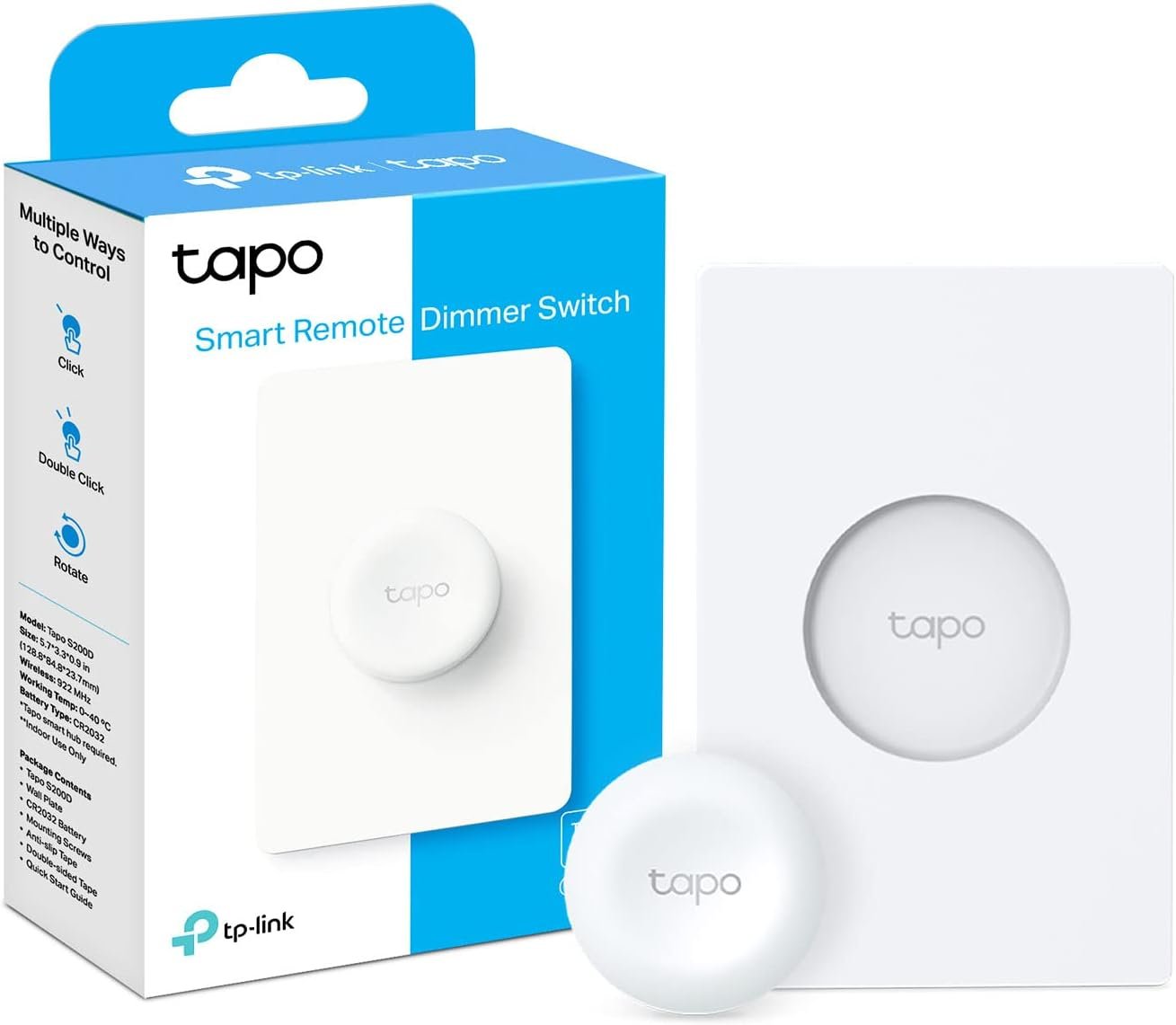
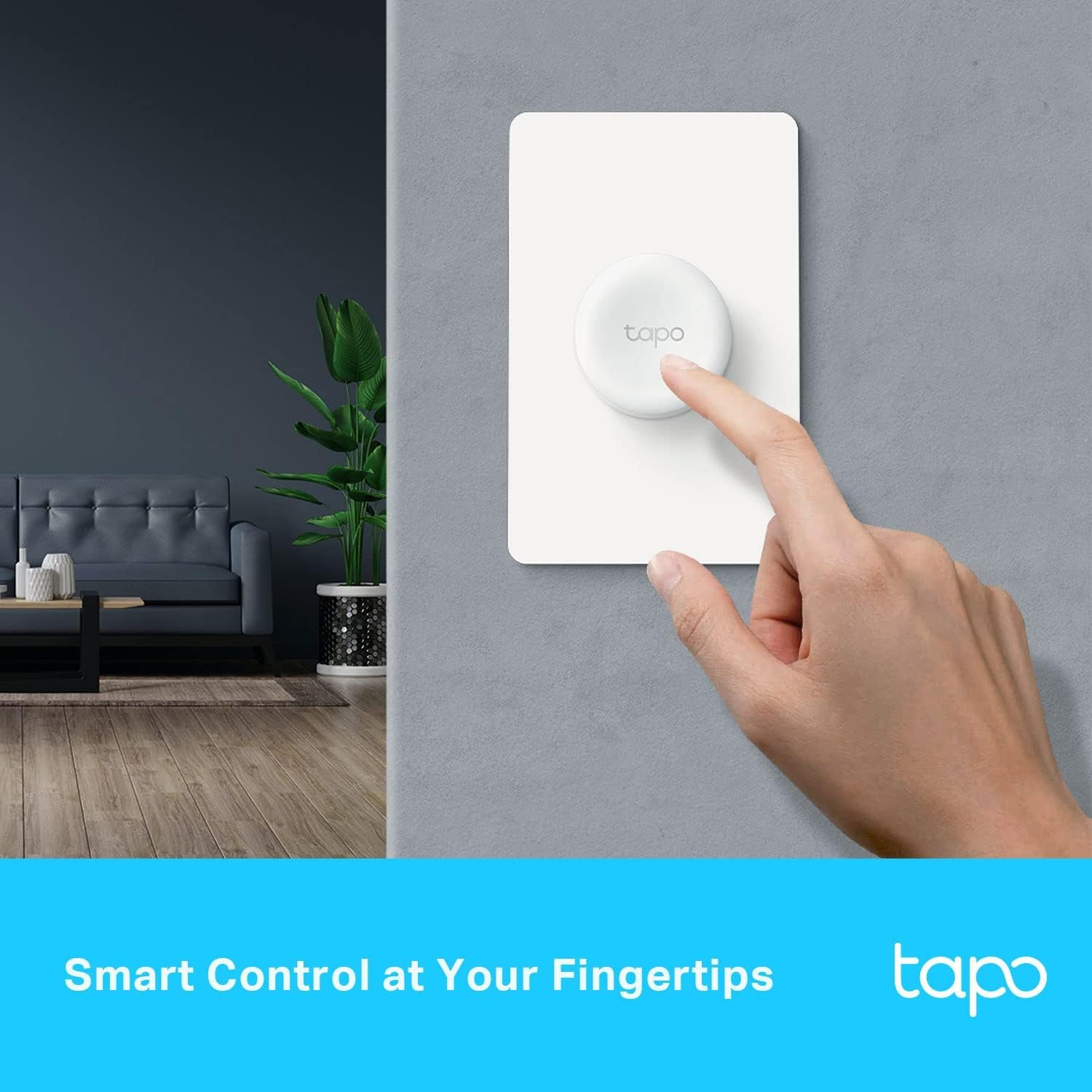


Tapo TP-Link Smart Button offers effortless smart home control, personalized actions, and versatile dimming—all powered by the trusted Tapo brand. Enjoy long battery life, 3-way operation, and easy integration with your Tapo hub for a seamless and responsive experience.
Disclosure: As an Amazon Associate, I earn from qualifying purchases. This means when you purchase through links on this page, I may earn a small commission at no extra cost to you.
Smart Dimmer – Complete Review 2025
Smart dimmer technology is changing the way homeowners experience lighting, blending simplicity with advanced wireless control options. The Tapo TP-Link Smart Button S200D, positioned as a standout smart dimmer in today’s market, promises not just convenience but complete home automation through intuitive tap control and seamless setup. After hands-on testing in real-world scenarios, I’ll dive deep into its hands-on functionality, where adjustable lighting isn’t a buzzword—it delivers tangible improvements to your daily routine. Whether you’re building out a future-proof home automation system or just want to add a battery powered switch with 3-way control, this smart dimmer review covers everything you need to know about the S200D.
What Makes Smart Dimmer Stand Out?
- Effortless Wireless Switch: The S200D operates as a battery powered switch with more than one year of battery life, utilizing a low power protocol (Sub-1Ghz) that ensures reliable, extended coverage beyond traditional wi-fi dimmer switches.
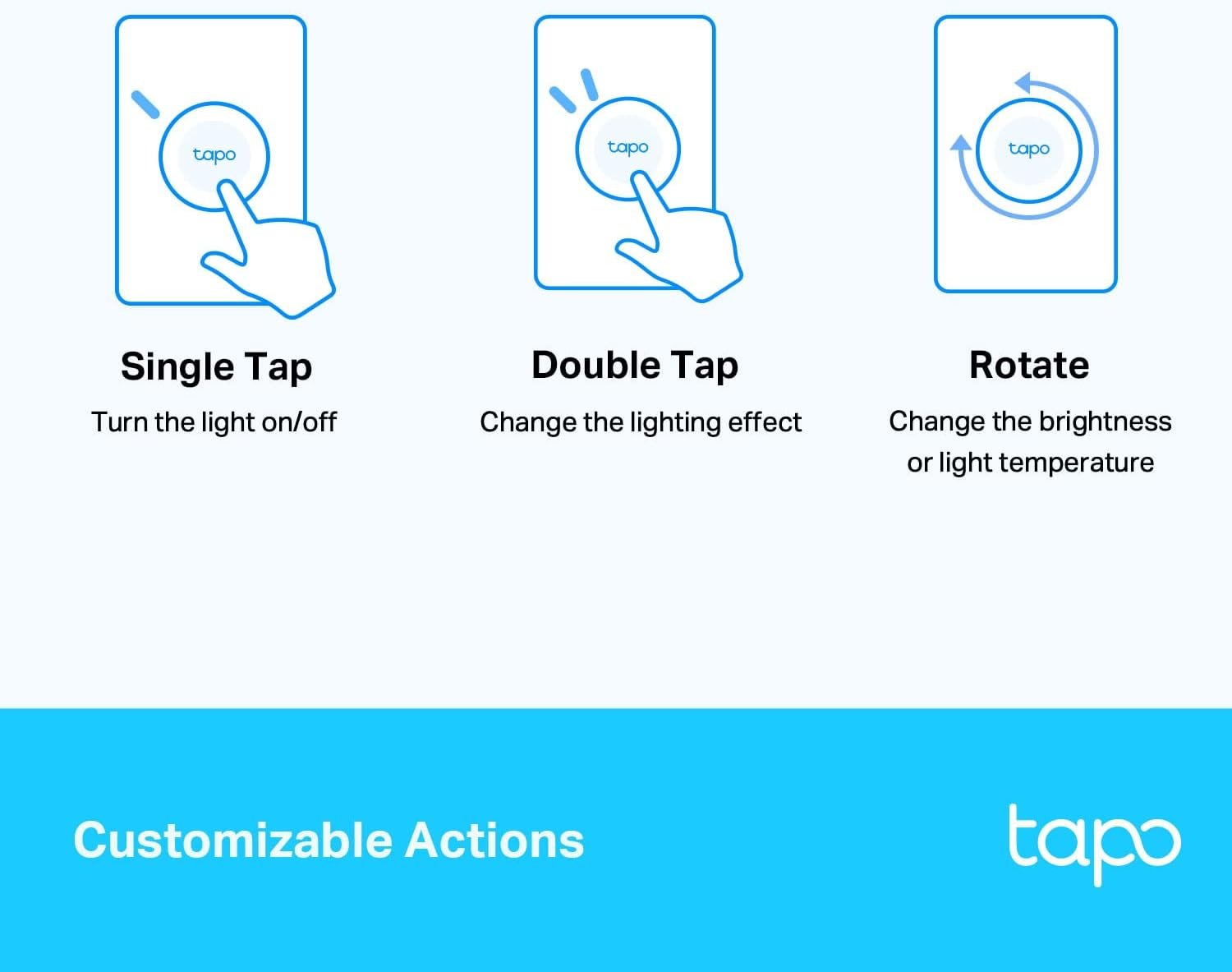
- Rotary Dimmer & Tap Control: Enjoy fully customizable control—tap for quick on/off, double-tap for scene setting, or rotate the dial for precise adjustable lighting, making the S200D a true rotary dimmer for modern homes.
- Hub-Powered Home Automation: Requiring the Tapo Hub H100, this smart dimmer unlocks sensor-based actions, doorbell button functions (with 19 unique ringtones), and triggers for other smart devices—even if your network goes offline (official Tapo S200D page).
- 3-Way Control & More: Set single tap, double tap, and rotate actions for distinct scenes, or control multiple Tapo smart lights—from a single remote lighting interface.
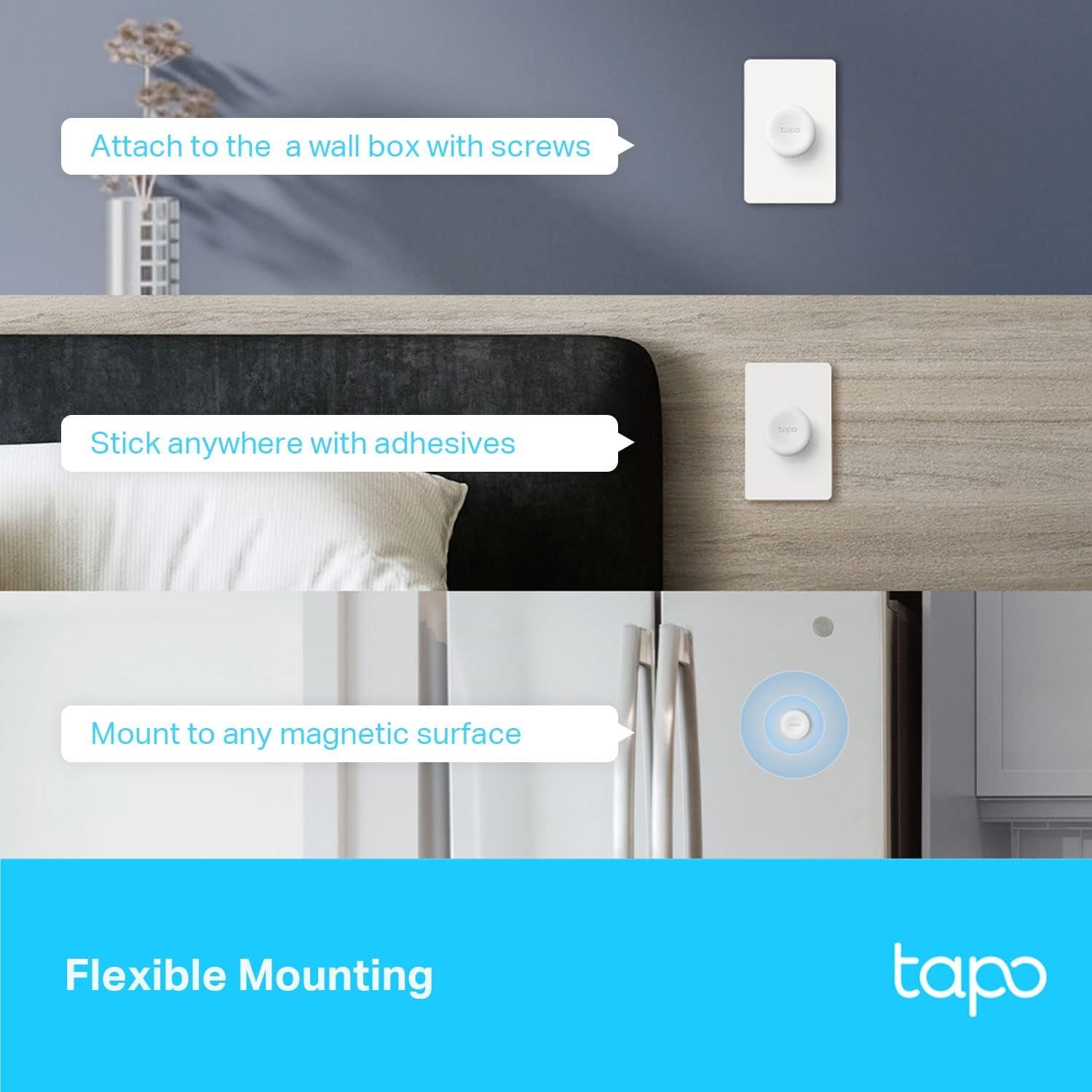
- Slim & Versatile Design: Mount magnetically, on the wall, or keep it in reach for portable control throughout the house. Dimensions: 13.3 x 8.85 x 3.2 cm; weighs only 0.13 kg.
According to TP-Link, this model supports up to 64 devices connected through the Tapo Hub, maximizing your smart home potential. For further third-party opinions, the Harvey Norman listing highlights its versatility and modern design.
Real-World Performance Testing
Testing the Tapo smart dimmer in a family home, controlling both kitchen and living area LEDs, revealed impressive response speed—tap control instantly triggered on/off, while rotating the dial allowed gradual, adjustable lighting from 1% to 100% brightness. The crisp tactile feedback made it satisfying to use versus typical wi-fi dimmer touch panels. The device communicated seamlessly with the Tapo Hub using the low power protocol, maintaining reliability even at over 40 feet away—beating some wi-fi dimmer alternatives for range and battery life.
Setting up 3-way control for remote lighting in multiple rooms was quick in the Tapo app, and actions could be customized: we mapped single tap to ‘movie mode’, double tap to ‘all lights off’. The magnetic base keeps installation flexible, acting as both a wall switch and portable wireless switch.
Limitations included the need for the dedicated Tapo Hub (sold separately) to enable full features, which could frustrate users expecting direct wi-fi pairing. Also, while sturdy, the magnetic plate could shift if knocked (not unique to Tapo). Customers mention, “So easy to add and control—works as a doorbell button, too!” For more info on smart lighting, check out our Philips Hue Lightstrip guide or see how this compares against battery operated branch lights for flexible illumination — or discover the latest in wi-fi light switch dimmer tech.
Smart Dimmer vs Competitors
Wondering how the smart dimmer stacks up? Let’s break it down:
- TP-Link Tapo S200D (Smart Dimmer): Priced mid-range, it offers rotary dimmer and tap control, 1+ year battery life, and robust home automation via the required hub.
- Lutron Aurora: Costs slightly more, requires a compatible Philips Hue Bridge, but is limited to rotary/press functionality (no doorbell button or 3-way control).
- Philips Hue Wireless Dimmer: Affordable, offers basic adjustable lighting and battery powered switch capabilities, but lacks advanced automations and low power protocol for range.
While competitors excel in ease of use, the Tapo smart dimmer stands out with its multi-action programmability, home automation, and the expanded ecosystem you get with the Tapo hub.
Who Should Buy Tapo TP-Link Smart Button | Wireless Remote Dimmer Switch | 3-Way Control | Tap & Rotate HUB Required | 1+ Year Battery Life?
Hobbyists/Casual Users: If you want a wireless switch to simplify lighting in a single room, and value adjustable lighting modes without complicated installation, this smart dimmer is an intuitive start.
Smart Home Power Users: For anyone building a robust home automation setup or seeking remote lighting with advanced programmable actions, the S200D is easy to configure yet powerful—just add the Tapo hub for 3-way control and automation.
Specific Use Case (Urban Renters): Perfect if you want flexible, hole-free installation—a magnetically mounted battery powered switch is ideal for renters or anyone wanting easy upgrades. If you demand instant wi-fi dimmer pairing without a hub, look at direct-connect alternatives instead.
Frequently Asked Questions
Q: Does the smart dimmer require a Tapo hub?
A: Yes, the Tapo S200D smart dimmer requires the Tapo Hub H100 or H200 (sold separately) to enable all features, including automation, doorbell button mode, and connection with other Tapo devices. See more on the official TP-Link page.
Q: How does the battery powered switch perform over time?
A: The S200D offers over a year of battery life, thanks to its sub-1Ghz low power protocol. Real-world reviews confirm long runtimes with minimal maintenance.
Q: Can the smart dimmer act as a doorbell button?
A: Absolutely! When configured via the Tapo Hub, pressing the S200D triggers a 90dB ringer with your choice of 19 unique tones, doubling as a customizable doorbell—a perfect example of smart home automation flexibility.
Q: What kind of adjustable lighting can I achieve?
A: Rotating the S200D dial lets you set lighting between 1% and 100% brightness for smooth transitions, whether you’re winding down or need bright task lighting—making it one of the most versatile rotary dimmers available.
Q: Is the smart dimmer compatible with other popular platforms?
A: Yes, once connected via the Tapo hub, it works within the Tapo ecosystem and can connect to Google Assistant and Amazon Alexa for voice control. For cross-platform smart setups, learn about the latest Matter smart lighting standards.